Audit any Shopify store in one click.

Find conversion, trust, SEO, performance and mobile issues directly from your browser. ShopGrade turns every scan into a clear, prioritized report.

Runs in Chrome on a computer. On a phone or tablet? Explore the sample report, then visit shopgrade.in on your computer to install.

  • No store login or admin access
  • Reads public pages, never writes
  • Public links last 15 days

Works with any public Shopify storefront. See exactly what it can and cannot read.

  1. 01Install ShopGradeAdd the extension to Chrome and create your free account.
  2. 02Click "Generate full report"On your own Shopify store, a client's, or any public storefront.
  3. 03A new tab runs the auditSpeed, SEO, trust and mobile are measured while you keep browsing.
  4. 04That tab becomes your reportWhat is wrong, why it matters, and what to fix first.
Why it exists

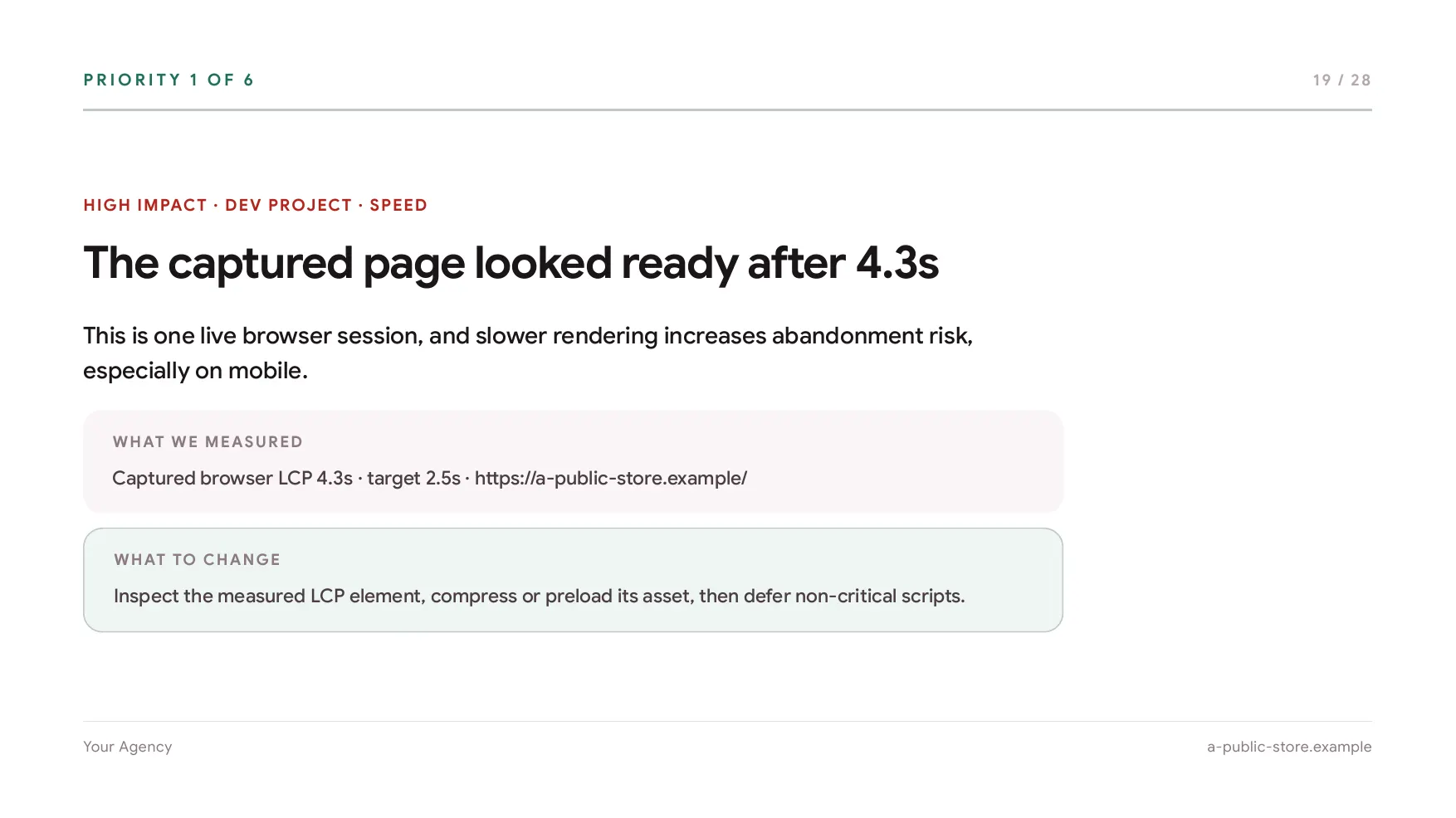
A store rarely loses a sale to one big mistake. It loses it to small ones: a hero image that takes 4.3 seconds, a returns policy nobody can find, a popup that opens before the product does. ShopGrade finds them, shows you the evidence, and tells you which one to fix first.

  • 6scores behind one grade
  • 8page types, each judged against its own job
  • 4independent sources, named in every report
  • 0store logins, apps or admin access needed

On every scanThe checks behind the score, read from the page that actually loaded.

  • Largest Contentful Paint
  • Time to First Byte
  • Total Blocking Time
  • Third-party app weight
  • Cumulative Layout Shift
  • Interaction to Next Paint
  • Tap targets
  • Legible text
  • Secure connection (HTTPS)
  • Visible reviews
  • Return policy / trust badges
  • Privacy & cookie notice
  • Accelerated checkout
  • Payment trust icons
  • Primary action above the fold
  • Sticky add-to-cart
  • Free-shipping message
  • Search available
  • No interruptive popup
  • Heading structure
  • Meta description
  • Social tags
  • Structured data
  • Image alt text
01What a finding looks like

Not a number. A list of things to fix.

Every finding carries the same five parts, in the same order, so you can act on it or argue with it without asking us what it means. Here is one, from an anonymized storefront, with each part named.

See all of them in a sample report
High priority Trust Anonymized storefront · product page
01What was found

Product returns information is not visible near the purchase area

02Why it matters

Visitors may hesitate to purchase when return conditions are difficult to find.

03The evidence it came from

No return-policy link was detected near the product form or product information.

04The next action

Add a concise returns message below the Add to Cart button and link it to the complete policy.

05What kind of work it is Quick win · theme editor, not a development cycle

The roadmap carries the ones worth doing first, each with the five parts above. Every raw finding behind them is listed in the technical appendix.

  • Third-party scripts delay the first thing a visitor seesSpeedDev project
  • No contact route anywhere on the storefrontTrustQuick win
  • Product page titles do not contain the words buyers search forSEODev project
  • Images served larger than they are ever displayedSpeedDev project
  • Gallery images are missing alt textAccessibilityQuick win
02What ShopGrade checks

Six scores behind the grade

Store checks based on public data, scoped to the page you scanned. Each area gets its own 0 to 100 score, and every finding behind it lands in one ranked list.

4.3suntil the sample store looked ready 01

Speed

Load time, server response and the weight every third-party app adds to a visit.

In the report: Captured Browser Session
02

Feel and response

Layout stability, how fast taps respond, and errors a shopper never sees but feels.

In the report: Interaction & Stability
03

Mobile experience

Viewport handling, legible text and tap targets big enough to hit.

In the report: Mobile Experience
04

Trust and credibility

HTTPS, visible reviews, a findable return policy or trust badge, a privacy notice, and whether anything insecure loads.

In the report: Trust Proof & Safety
05

Buying ease

Where the primary action sits, express checkout, payment icons, sticky add-to-cart, shipping clarity, navigation and search, and popups in the way.

In the report: Buying Ease
11images with no alt text on the sample store 06

Findability

Headings, metadata, social tags, structured data and alt text: whether the store can be found at all.

In the report: Findability (Crawl)

Readings drawn above come from the public sample report, on the same invented storefront.

03Where the numbers come from

Every score traces back to one of four sources, and the report names which one.

Measured by ShopGrade

The page that actually loaded

Page structure, script load, payload split, detected third-party apps and resource timing, read from the storefront in front of you.

Every plan, Free included
Measured by Google

A throttled Lighthouse run

Google's own auditing engine, run against the store on a throttled connection. We report the result it returns rather than scoring performance ourselves.

Pro, Agency and credit-funded reports
Measured by real visitors

Chrome UX field data

What Chrome users actually experienced on the store, when it has enough traffic to appear in Google's dataset. Reported separately from the lab run, because the two disagree often.

Pro, Agency and credit-funded reports
Written by the AI review

What is on the page, in words

Screenshots captured during the scan are read by the AI review, which writes the conversion findings from what is on your storefront rather than from generic advice. Labelled as AI in the report.

Pro, Agency and credit-funded reports

The 0 to 100 score is those checks, weighted. Every finding shows the evidence it came from, so you can see what moved the number instead of taking the number on trust.

The six scores are the report's Store Health Summary, open on every plan, Free included, along with the score, the verdict, the crawl checks and the page-weight breakdown. Accessibility indicators are automated checks, not a legal certification or legal advice.

A fair question

"Why not just paste the URL into a chatbot?"

A chat model can describe what a Shopify page usually contains. It cannot open yours.

  • It cannot measure Load time, layout stability, payload split and a throttled Lighthouse run come from running the page, not from reasoning about it.
  • It cannot see your storefront The AI review here reads screenshots captured from the live store during the scan, so a finding points at what is on your page rather than at what is usually on a page like yours.
  • It does not keep score Rescan after the work is done and the report puts the new score beside the old one, with what closed and what appeared. A chat thread has nothing to compare against.

Advice is free everywhere. Evidence is the part that takes a browser.

04Inside the report

What you actually receive

The report is the product, and the findings above are the core of it. Here is what comes with them.

Up front

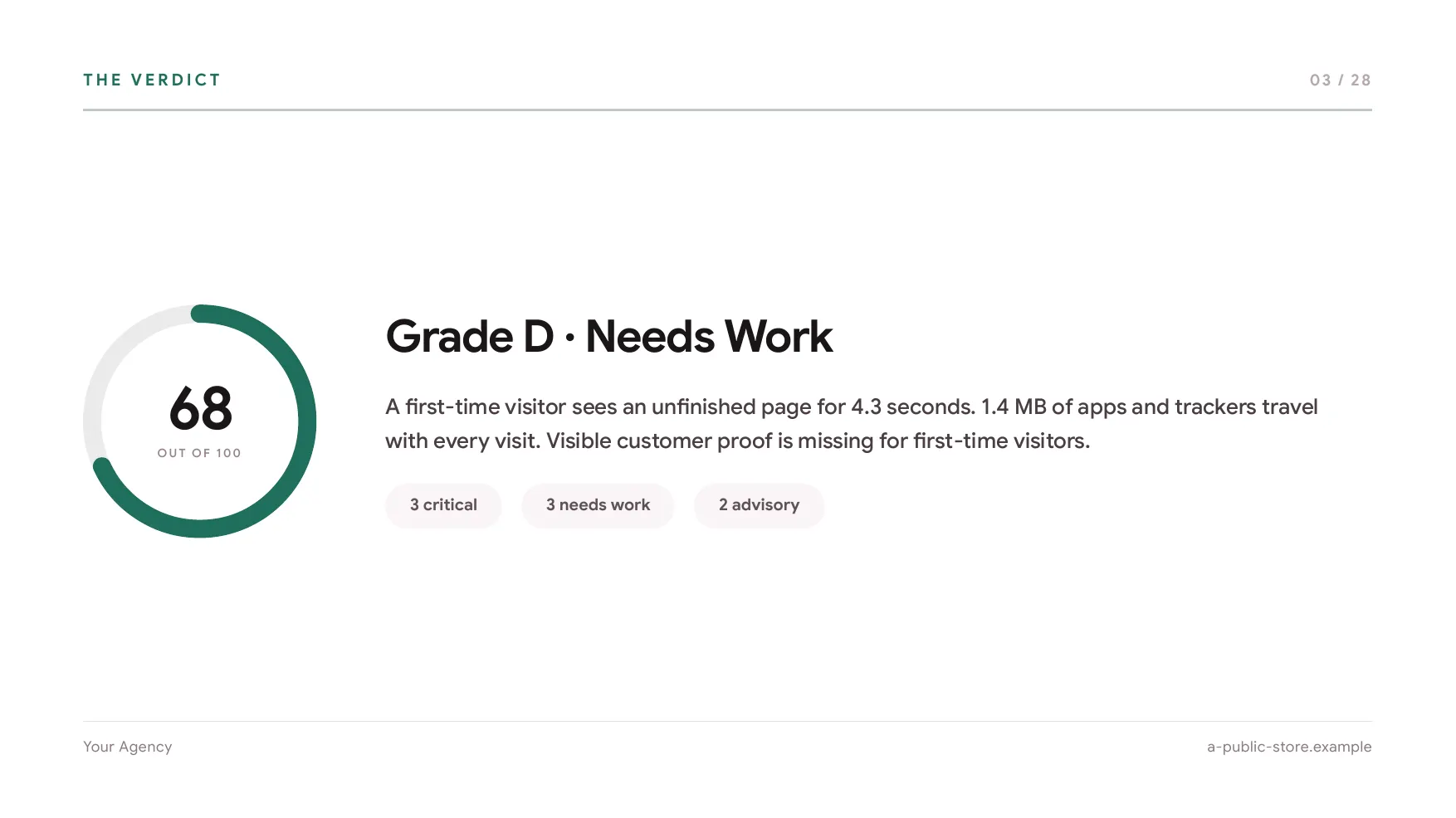
Overall score and executive summary

The report opens in plain language, not a chart. A one-line verdict, the three things most likely to be holding the store back, and the graded score they add up to.

Free reports include this section.

The plan

A rollout plan, sequenced by when to ship it

The same fixes as the roadmap above, sorted into this week, the next thirty days and this quarter, and routed to whoever normally owns that surface: the theme editor, marketing, or a developer. Hand the lane straight to the person doing the work.

The rollout plan is on Pro, Agency and credit-funded reports.

After the work

Rescan, compare, then share or export

Run the audit again after the work is done. The report shows the new score beside the old one, which findings closed and anything new that appeared. Share a live link, email it, or export a PDF carrying your own branding.

Sharing, email, PDF export and the client deck are on Pro and Agency. Credit-funded reports get a shareable link with a small watermark. Free reports stay owner-only.

Optional

Put your own baseline beside the findings

ShopGrade will not invent a revenue figure for your store, because it cannot see your traffic or your orders. Enter a monthly revenue baseline in the extension and the report prints that figure beside the risk signals it actually measured, and leaves the arithmetic to you.

The baseline is your input, not a measured outcome. No finding is priced, and this chapter is on Pro, Agency and credit-funded reports.

05Proof

Judge it on the output

ShopGrade is new. Rather than fill this section with testimonials nobody gave and numbers nobody can check, here is the report itself. Used ShopGrade and willing to say so? Tell us what happened.

Product proof

A complete sample report, open to anyone

The findings, the evidence, the scores and the action plan, on an anonymized storefront. No account, no email, no form. If the report is not useful, nothing else on this page matters.

Open the sample report
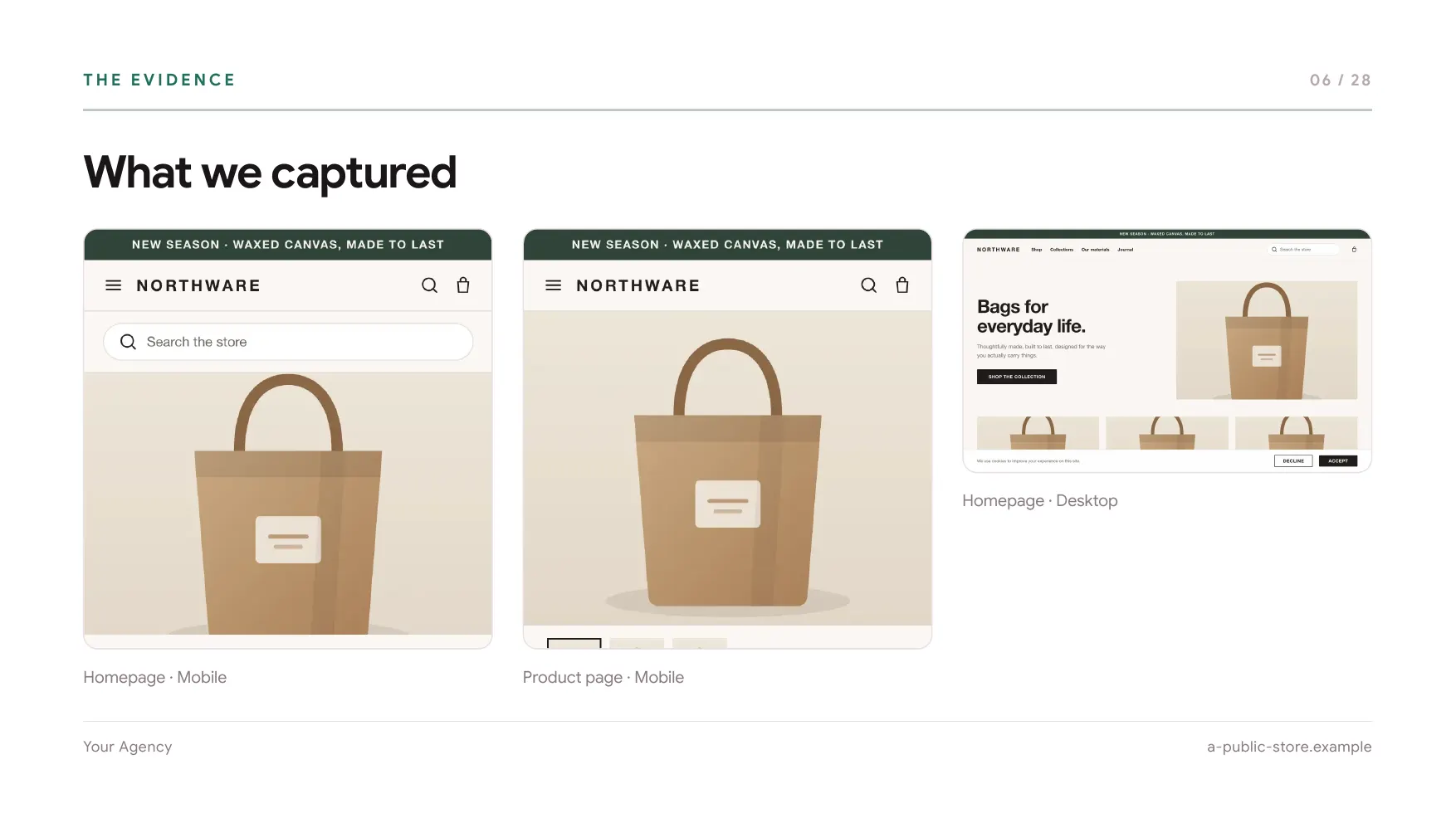
Client deck slide showing a finding with its evidence Client deck slide: priority 1 of 6, the captured page looked ready after 4.3 seconds Client deck slide: the verdict, 68 out of 100, Grade D, needs work
06Privacy and permissions

Designed to inspect stores, not access private business data

ShopGrade reads a public storefront the same way any visitor's browser does. It stays dormant until you consent, and it does nothing on pages that are not confirmed Shopify storefronts.

What it reads
  • Analyses public storefront informationVisible text, page structure, URLs, resource timing and performance signals.
  • Reports stay private unless you share themEvery report is private to your account. Free reports cannot be shared at all; a public link lasts 15 days, and each report can be made public twice.
What it never touches
  • Never asks for Shopify admin credentialsThere is no Shopify app to install and no store login to hand over.
  • Never accesses customer ordersOrders live behind the admin, which ShopGrade cannot reach.
  • Never accesses payment informationNothing you type into the pages you visit is read, including passwords on those pages, and neither are private messages or network request and response bodies.
  • Never modifies the storeShopGrade only reads. It does not write to a store, change a theme or submit a form.
07Pricing

You are buying report generations

One generation produces one report for one store. A rescan is a new report, so it uses one too. Live scores on the toolbar are always free and never count against your allowance.

Free

For evaluating ShopGrade.

$0forever
Create a free account
  • 1 report generation, once
  • One per account, with a small cap per network to keep it honest
  • Unlimited live scores on the toolbar
  • 1 person
  • Reports kept in your account
  • In the report
  • Score, verdict and executive summary
  • Store health summary: the six scores
  • Ten crawl and SEO checks
  • Third-party app and payload breakdown
  • Audit recipe: focus preset and grading strictness
  • Watermarked. The conversion and trust signals, roadmap, rollout plan, implementation brief, shopper timeline, AI review, visual storefront review and screenshots, Google data, business context and technical appendix are all locked
  • Sharing
  • Owner-only. No sharing, email, PDF export or client deck

Agency

For recurring client and prospect audits.

$69.99/month
Get Agency
  • 50 report generations a month
  • Rescans use one generation each
  • 3 team seats sharing one allowance
  • Reports kept in your account
  • In the report
  • Everything in Pro
  • For teams
  • Shared workspace across seats
  • Client folders and report tags
  • Agency branding on every report, export and client deck
No card required to start Upgrade, downgrade or cancel anytime 7-day first-payment refund (0 or 1 reports) Billed via Paddle

Not ready for a monthly plan? Report credits are 2 generations for $19, with the full AI review and a shareable link carrying a small watermark. PDF export stays on Pro and Agency. Credits never expire, are non-refundable, and are used automatically once a plan's monthly generations run out. Buy credits

08FAQ

The questions people actually ask first.

Everything worth knowing before you add it to Chrome.

Still have questions? Email us and a person will answer.
Contact us
Does it require access to Shopify admin?
No. ShopGrade reads the public storefront the same way any visitor's browser does. There is no Shopify app to install, no store login and no admin access. It cannot see orders, customers or payment information, and it never writes to the store, changes a theme or submits a form.
Can I grade a store I do not own?
Yes, for any publicly accessible Shopify storefront. This is how agencies audit prospects before a call. You remain responsible for using the report lawfully and for respecting the store's terms and rights.
Which stores and pages can it audit?
Shopify only, and any public page of it. The scan reads whichever page you run it on and scores it against what that page type is supposed to do: homepage, product, collection, cart, blog, article, search and content pages each get their own expectations, so a homepage is never marked down for having no add-to-cart. The AI screenshot review is the one part with a fixed scope: it reads the homepage and one product page. Other platforms are on the roadmap. ShopGrade confirms Shopify from domain, asset and theme markers, so password-protected or blocked pages cannot be audited, and on a site that is not Shopify the extension says so and does nothing else.
How long does a scan take, and can I run it again after changes?
The live score on the toolbar appears as soon as the storefront loads. A full report usually takes a few minutes, depending on the storefront, your connection and whether your plan includes the AI review. You can rescan whenever you like: the report then shows the new score beside the previous one, which findings you resolved and anything new that appeared. A rescan is a fresh report, so it uses one report generation.
Are the recommendations generated by AI?
Partly, and the report labels which is which. The measurements, storefront checks and SEO checks are deterministic. On Pro, Agency and credit-funded reports an AI review reads captured screenshots of the homepage and a product page and writes the conversion findings from what is actually on the page, rather than from generic advice. A Free report is watermarked and thinner: it keeps the score, the verdict, the store health summary, the ten crawl checks and the page-weight breakdown, while the conversion and trust signals, the action roadmap, the rollout plan, the implementation brief, the shopper timeline, the visual review and its screenshots, the Google data, the business context and the technical appendix are locked.
Can I tune how strictly it grades?
Yes. The extension carries an audit recipe: a focus (balanced, speed, SEO or conversion) and a grading strictness, both available on every plan including Free. Pro and Agency add custom benchmarks, a target score and a target LCP, and the report prints whichever profile and targets produced it in its methodology chapter, so a client can see the conditions the grade was measured under.
Can it watch a store between audits?
On Pro and Agency, yes. Add a store to weekly monitoring and ShopGrade re-checks it against Google PageSpeed on a seven-day cycle, keeps the previous score beside the new one, and emails you when it drops by five points or more. It is a lightweight watch on the performance score rather than a full re-audit, so it costs no report generation. Run a full rescan when you want the complete document again.
How are scores calculated?
The 0 to 100 score combines weighted checks across performance, page structure, script load, trust signals and SEO. Every finding shows the evidence behind it, so you can see what moved the score rather than taking the number on trust. Results vary with device, network and page state, so two scans of the same store will not always match exactly.
Who can see a report I share, and can it carry my branding?
A shared report shows the findings, the evidence, the scores and your branding. It does not expose your account, your other reports or anything else about your workspace. On Pro and Agency your logo, brand colour, agency name, a prepared-by line and your own call to action appear on every report and PDF export. Credit-funded reports can be shared but carry a small ShopGrade watermark, and Free reports cannot be shared at all. Reports are private to your account by default; a public link lasts 15 days, each report can be made public twice, and you can make one private again or delete it at any time.
Your first report is free

See what your Shopify storefront is missing.

Install ShopGrade, open a Shopify store and generate your first report directly from Chrome.

No Shopify login or admin access required